

Open-Source Fiber Network Design Plugin for QGIS
FiberQ helps telecom engineers and GIS professionals design, analyze, and document fiber optic networks directly inside QGIS — efficiently, accurately, and without licensing costs.
What is FiberQ?
- Design cable routes on real maps using QGIS tools
- Place network elements like poles, manholes, ducts, closures and cabinets
- Import existing points and lines directly into FiberQ layers
- Export deliverables (GeoPackage, KML/KMZ) or publish to PostGIS
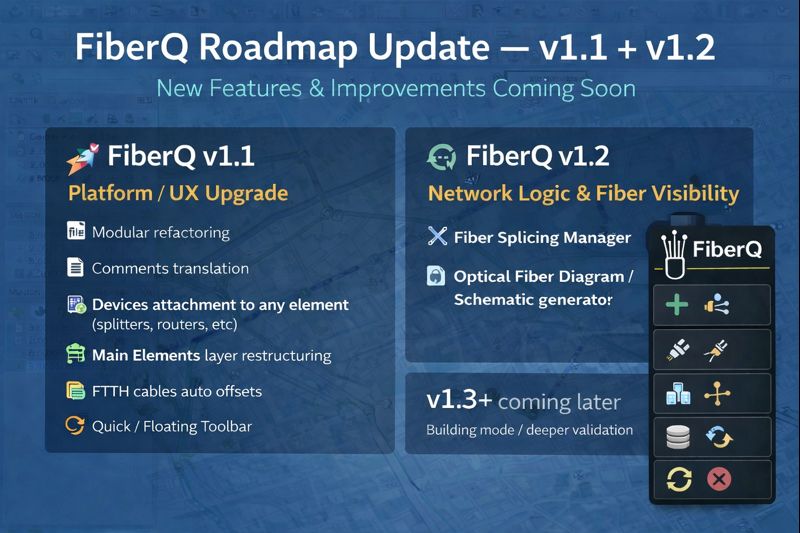
FiberQ Upcoming versions roadmap:
- FiberQ v1.1 — Core Platform + UX Upgrade
This release is all about structure, speed, and daily workflow improvements:
- Refactor: split main_plugin.py into smaller, maintainable modules
- Codebase cleanup: translate comments/classes/methods from Serbian → English
- Attach devices to any element (splitters, routers, etc.)
- One main “Elements” layer + sublayers (ODF, TB, OTB, JC, etc.) + catalog
- FTTH cable auto-offsets (consistent spacing for multiple cables on the same route)
- Quick / Floating Toolbar for faster placement of key tools & elements
- Layer priority / ordering: keep projects readable by auto-sorting layers like:
Poles/Manholes → Elements → Routes → Cables → Pipes → Slacks → Objects → Areas
- FiberQ v1.2 — Network Logic + Fiber Visibility
Next version will focus on “what’s inside the cables” and how fibers connect end-to-end:
- Fiber Splicing Manager
- Optical Fiber Diagram / Schematic generator & viewer (for connected fiber paths)
- v1.3+ (Later)
There are more ideas on the table (e.g., building mode / riser workflows, deeper validation, etc.), but they’ll be considered after v1.1 and v1.2 are delivered.
How FiberQ works
A simple workflow from drawing to deliverables — designed for real FTTx planning inside QGIS.
Create a project (GeoPackage or PostGIS)
Start with a GeoPackage for local work or connect to PostGIS for team projects and web maps.
Draw routes and place elements
Digitize routes on real basemaps and place poles, manholes, ducts, cabinets and closures with consistent attributes.
Generate cables, reserves and connections
Build cable runs, slack/reserves and branching logic to match your design and documentation needs.
Validate and review
Check your design using the map view and schematic outputs before exporting or publishing.
Export deliverables
Export layers to GeoPackage or KML/KMZ for sharing, client review and archiving.
Publish to PostGIS
Push results to PostGIS for collaboration, dashboards and web map pipelines.
Screenshots & deliverables
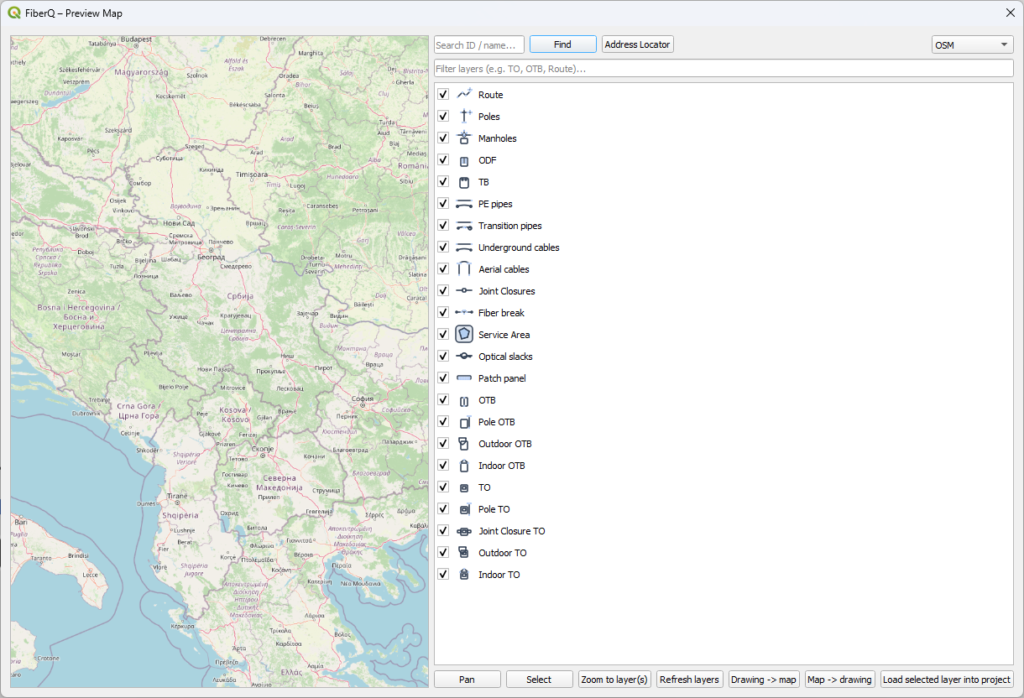
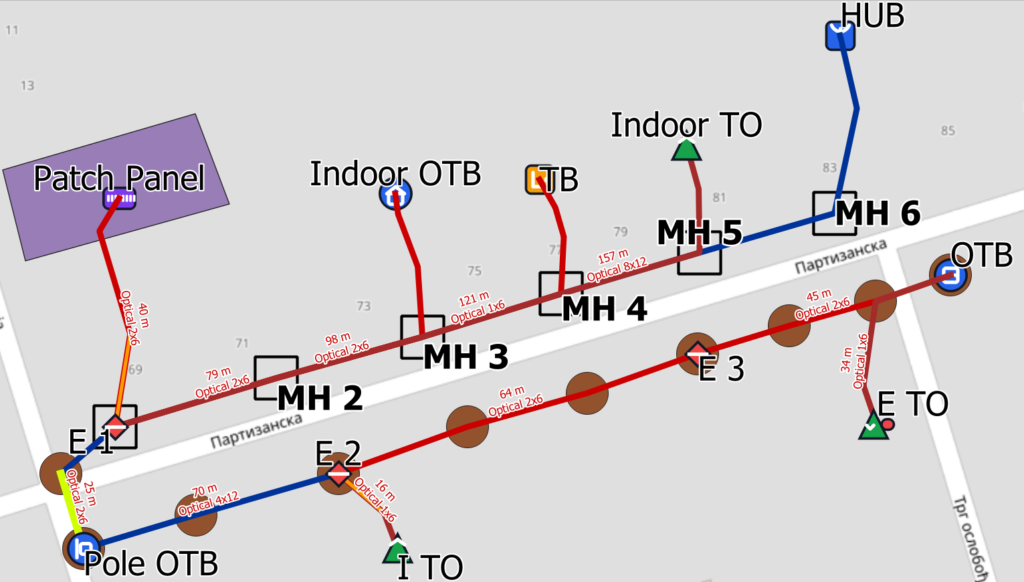
Real outputs from QGIS — preview maps, clean layers, and documentation-ready exports.
Preview Map
- Export a clean deliverable view with consistent styling.
- Keep layer names and attributes user-friendly.
- Perfect for handover, QA and quick reviews.
Project
- Import existing points and lines into FiberQ layers.
- Design GPON/ FTTH output on the map
- Publish to PostGIS for team workflows and web maps.
- Export layers
Help shape the next FiberQ release
FiberQ Community
Vote with 👍 on existing proposals — the most upvoted items get prioritized.
Get FiberQ updates
Release notes, tutorials, and migration tips. No spam.