
FIBERQ FOR QGIS / OPEN SOURCE / GPL-3.0
Fiber network design inside QGIS
Design FTTH, GPON and FTTx networks directly on real maps with FiberQ for QGIS, keep your data structured, and connect your workflow to the next generation of FiberQ tools now in development.
| LICENCE | GPL-3.0, open source |
| LATEST | v1.5.0, released September 2026 — an open interchange format |
| TESTED ON | QGIS 3.40 (Qt5) and QGIS 4.2 (Qt6) |
| FUNDING | NLnet NGI Zero — roadmap WP1–WP3 delivered |
| OUTPUTS | Interchange bundle (GeoPackage / GeoJSON), GeoPackage, KML/KMZ, PostGIS, DXF |
01
WHY FIBERQ
Built for the work, not for the demo
Three things decide whether a fiber tool survives contact with a real project.
Real FTTH / GPON / FTTx workflows
Design routes, place elements, generate cables and keep your project data usable beyond the map.
Works inside QGIS
Use familiar GIS tools, real basemaps and existing spatial data without moving to an expensive proprietary stack.
Structured outputs
Export GeoPackage, KML/KMZ and clean layers, or publish to PostGIS for collaboration and web maps.
02
CAPABILITIES
What you can do with FiberQ
Routes on real maps
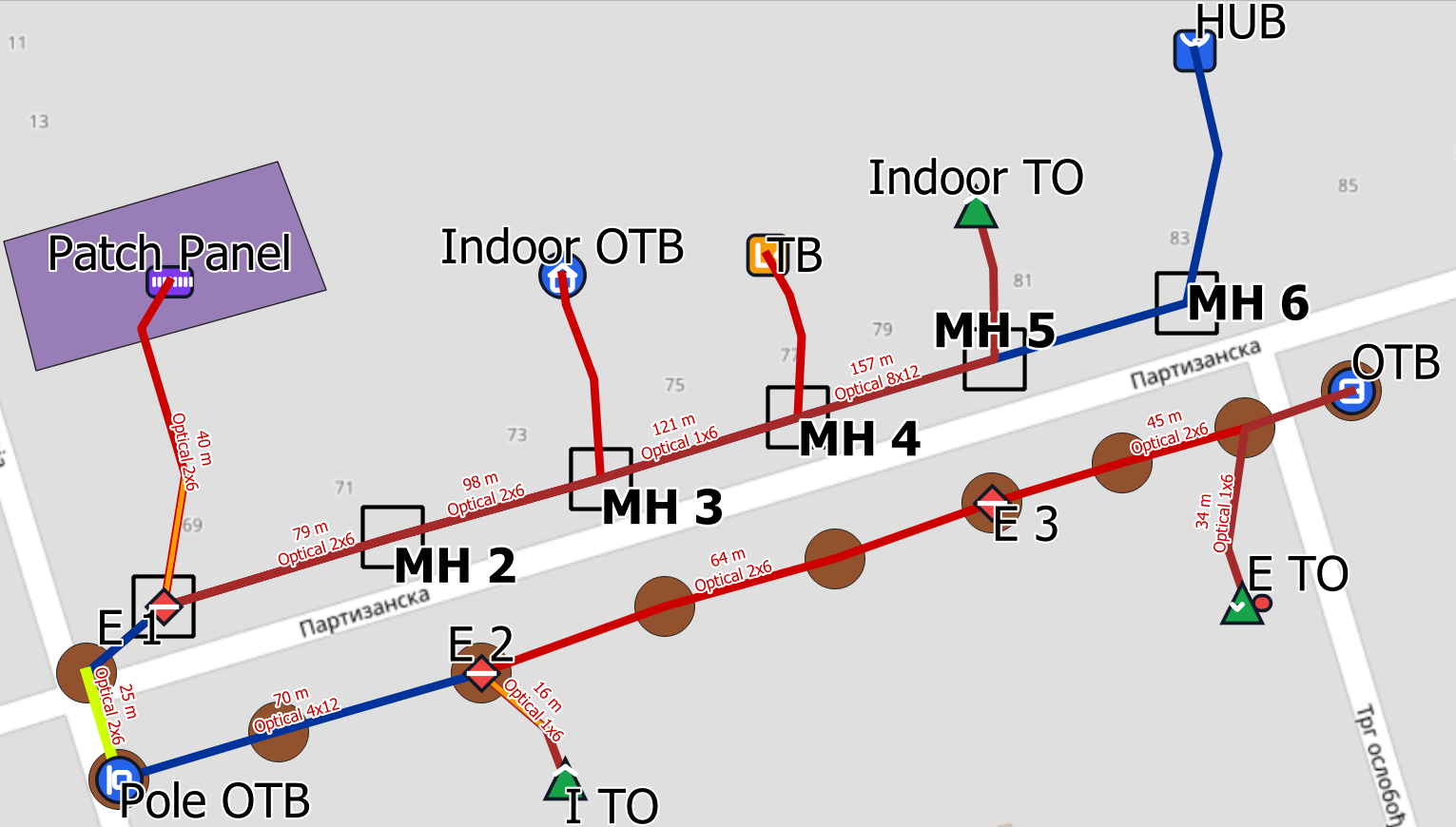
Digitise cable routes with QGIS tools on real basemaps, at the accuracy the job needs.
Network elements
Place poles, manholes, ducts, closures and cabinets with consistent attributes across the project.
Import existing data
Bring existing points and lines directly into FiberQ layers instead of redrawing them.
Cables and branching
Generate cable paths, reserves and branching logic to match the design and the documentation.
Deliverables
Export layers to GeoPackage or KML/KMZ for sharing, client review and archiving.
PostGIS publishing
Push results to PostGIS for collaboration, dashboards and web map pipelines.
Open interchange
Hand a whole design to another tool — including which cable each slack loop belongs to — in a published format anyone can implement.
03
WORKFLOW
How FiberQ works
A practical route from project setup to deliverables, inside QGIS.
01
Create a project
Start with a GeoPackage for local work, or connect to PostGIS for team projects and web maps.
02
Draw routes and place elements
Digitise routes on real basemaps and place poles, manholes, ducts, cabinets and closures with consistent attributes.
03
Generate cables and connections
Build cable runs, reserves and branching logic to match your design and documentation needs.
04
Validate and review
Check the design in the map view and schematic outputs before exporting or publishing.
05
Export deliverables
Export layers to GeoPackage or KML/KMZ for sharing, client review and archiving.
06
Publish to PostGIS
Push results to PostGIS for collaboration, dashboards and web map pipelines.
07
Move the design between tools
Export an interchange bundle that carries the relationships a plain export drops, and read one back without losing what FiberQ cannot draw.
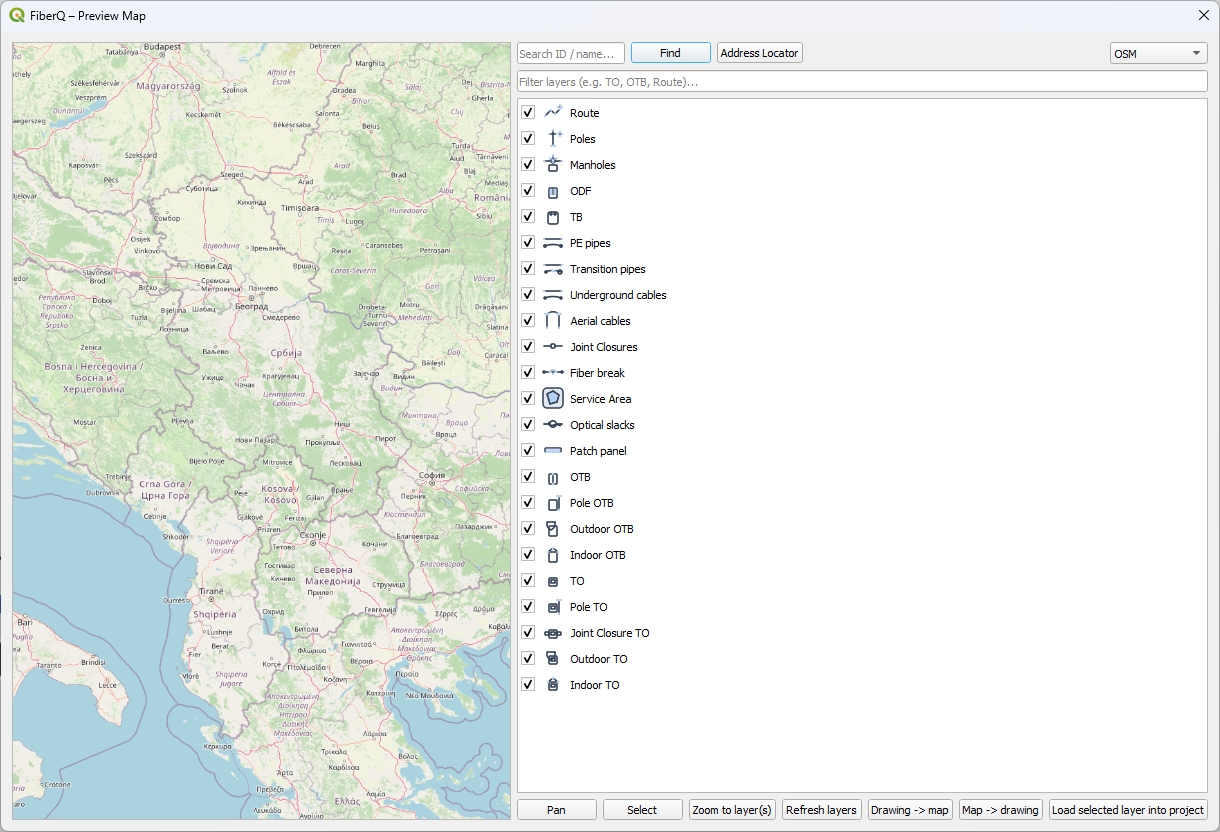
Preview Map and Publish to PostGIS need an activation key. Request a key and the MapProxy folder.
04
RELEASE
v1.5.0 — an open interchange format
Released September 2026. Third deliverable of the NLnet NGI0 funded roadmap (WP3). v1.4.0 in August delivered validation and reporting (WP2); v1.3.0 in July delivered the data model and migrations (WP1).
| EXPORT | The whole design as a GeoPackage any GIS tool can open, or a folder of GeoJSON files. It carries what a generic export drops: which cable a slack loop belongs to, which elements a cable passes through, and the named groupings of cables |
| IMPORT | Read a bundle back into FiberQ’s own layers and field names. Importing the same bundle twice changes nothing |
| PRESERVES | An element type FiberQ has no layer for, an attribute it has no column for, fibre splices, trays and duct occupancy all survive a round trip unchanged rather than being dropped or reclassified |
| SPECIFICATION | Published under CC-BY-4.0 with a conformance checklist, so any tool — open or closed — can implement it |
| VALIDATION | Still there from v1.4.0: fourteen checks over the whole design, with HTML, JSON and CSV reports |
| VERIFIED | End to end on QGIS 3.40 (Qt5) and QGIS 4.2 (Qt6), including bundles written on one version and read on the other. Clean plugins.qgis.org security scan |
05
DESIGNER
The browser companion: FiberQ Designer
FiberQ Designer is a web application in active development, focused on the operational side of fiber work: map-based planning, network structure, splicing, tracing and generated documentation.
The QGIS plugin remains the open design environment inside GIS. Designer is browser-first, easier to reach and easier to collaborate on. Both are built to work together as one FiberQ workflow.
| STATUS | Private beta, by invitation |
| PRICE | Free for everyone using it today |
| SHARED | A published, openly licensed interchange format, so designs move between the two tools — and any other tool that implements it |
06
COMMUNITY
Help shape the next release
FiberQ is developed in the open and driven by what people hit on real projects. Suggest features, report bugs and vote on priorities. The most useful ideas get prioritised first.
07
UPDATES
Get FiberQ updates
Release notes, tutorials, new features and migration tips. No spam.