
FIBERQ DESIGNER / WEB APPLICATION / PRIVATE BETA
Fiber network design, splicing and documentation in your browser
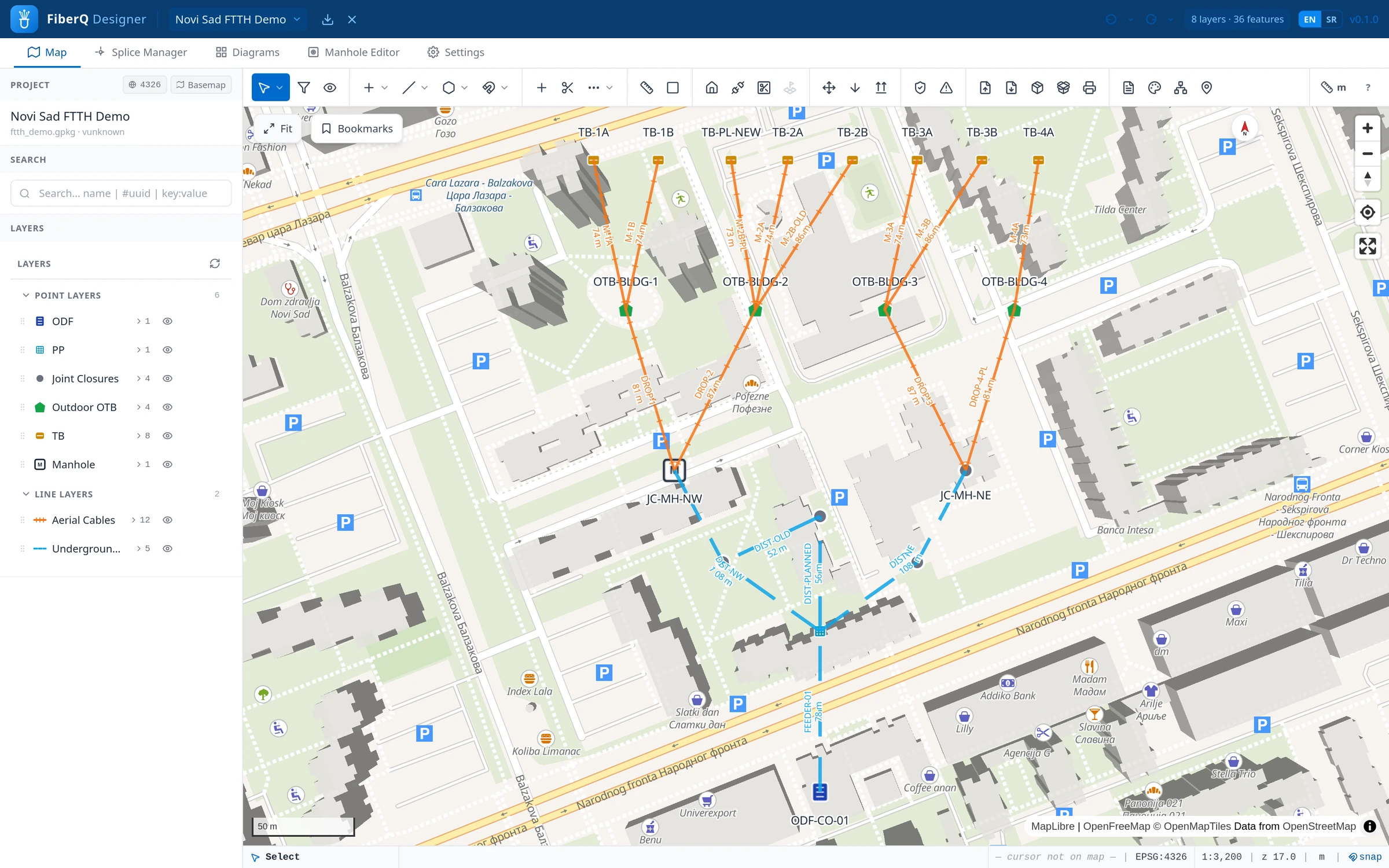
FiberQ Designer is a browser-first platform for planning, splicing, tracing and documenting FTTH and GPON networks. Map-based design, structured network data and generated documentation, without installing anything.
| STATUS | Private beta, in active development |
| ACCESS | By invitation |
| PRICE | Free for everyone using it today |
| COMPANION | FiberQ for QGIS — open source, GPL-3.0, production ready |
01
OVERVIEW
What it is
FiberQ Designer is the browser-based companion to FiberQ for QGIS. Where the QGIS plugin is the open design environment inside GIS, Designer focuses on the operational side of a fiber project: map-based planning, network structure, fiber splicing, end-to-end tracing and generated documentation.
It is a separate, independently developed commercial product, built to be fast to access and easy to collaborate on. The two tools share the same way of describing a network, so a design can move between them and stay structured the whole way through.
02
CAPABILITIES
What it does
From the first route on the map to a complete, documented and traceable network.
Map-based planning
Design routes and place network elements directly on real basemaps. Work the way you would on a map, with your project structured underneath.
Splice management
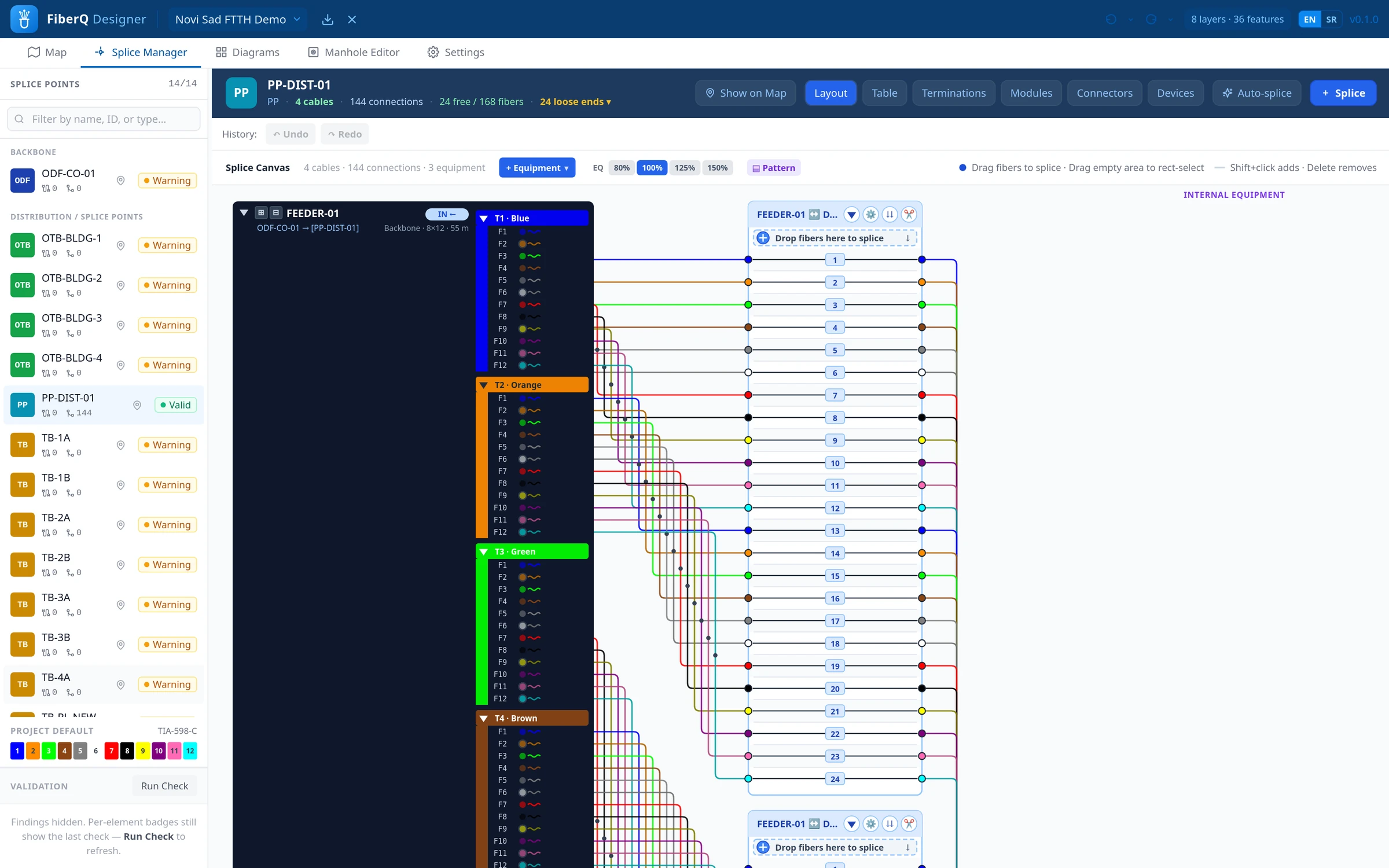
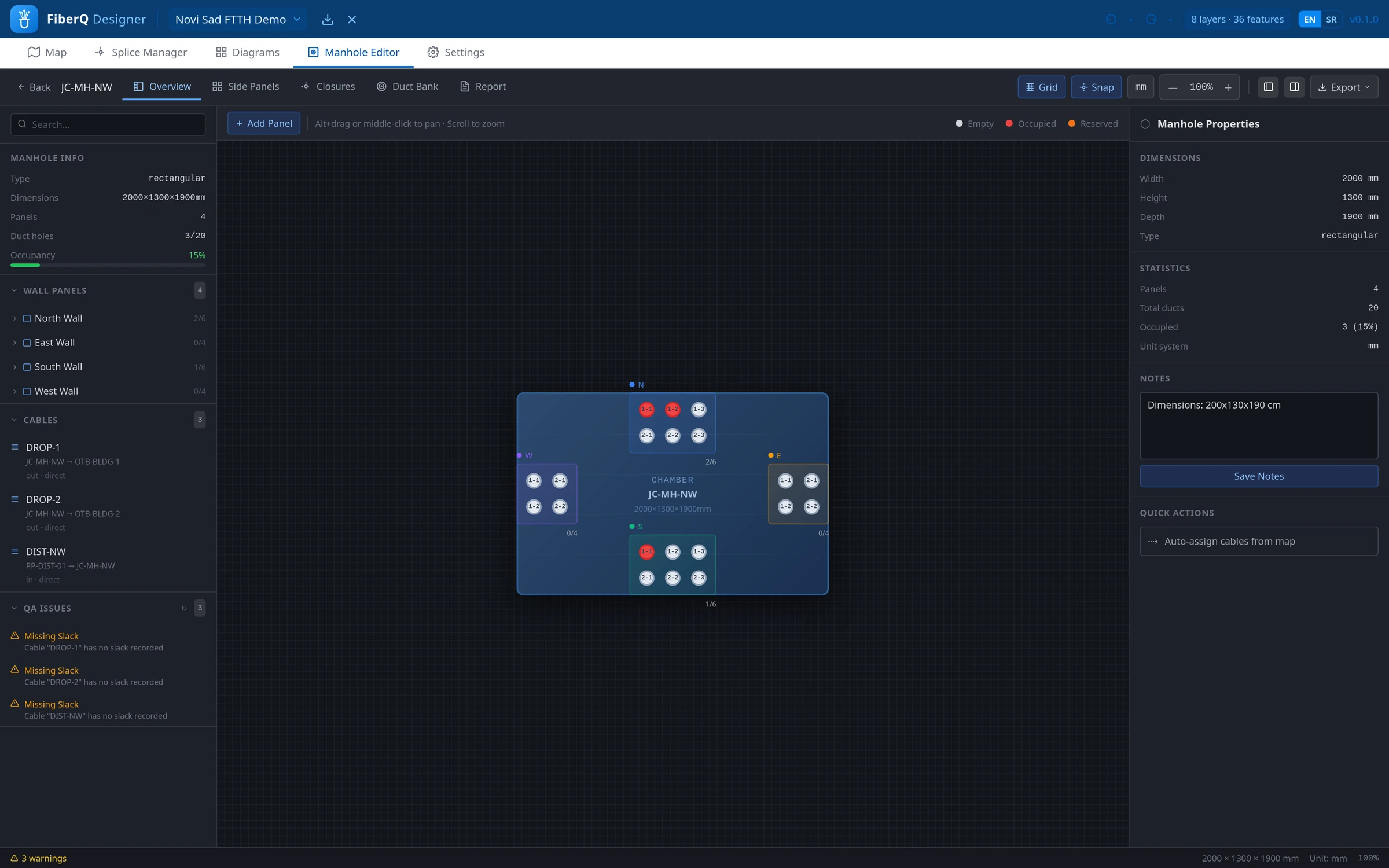
Manage closures, trays and splices with a clear view of every fiber connection. Build and edit splicing without losing track of what connects to what.
End-to-end tracing
Follow a fiber from one end of the network to the other through cables, closures and splices. Useful for verification, troubleshooting and handover.
Generated documentation
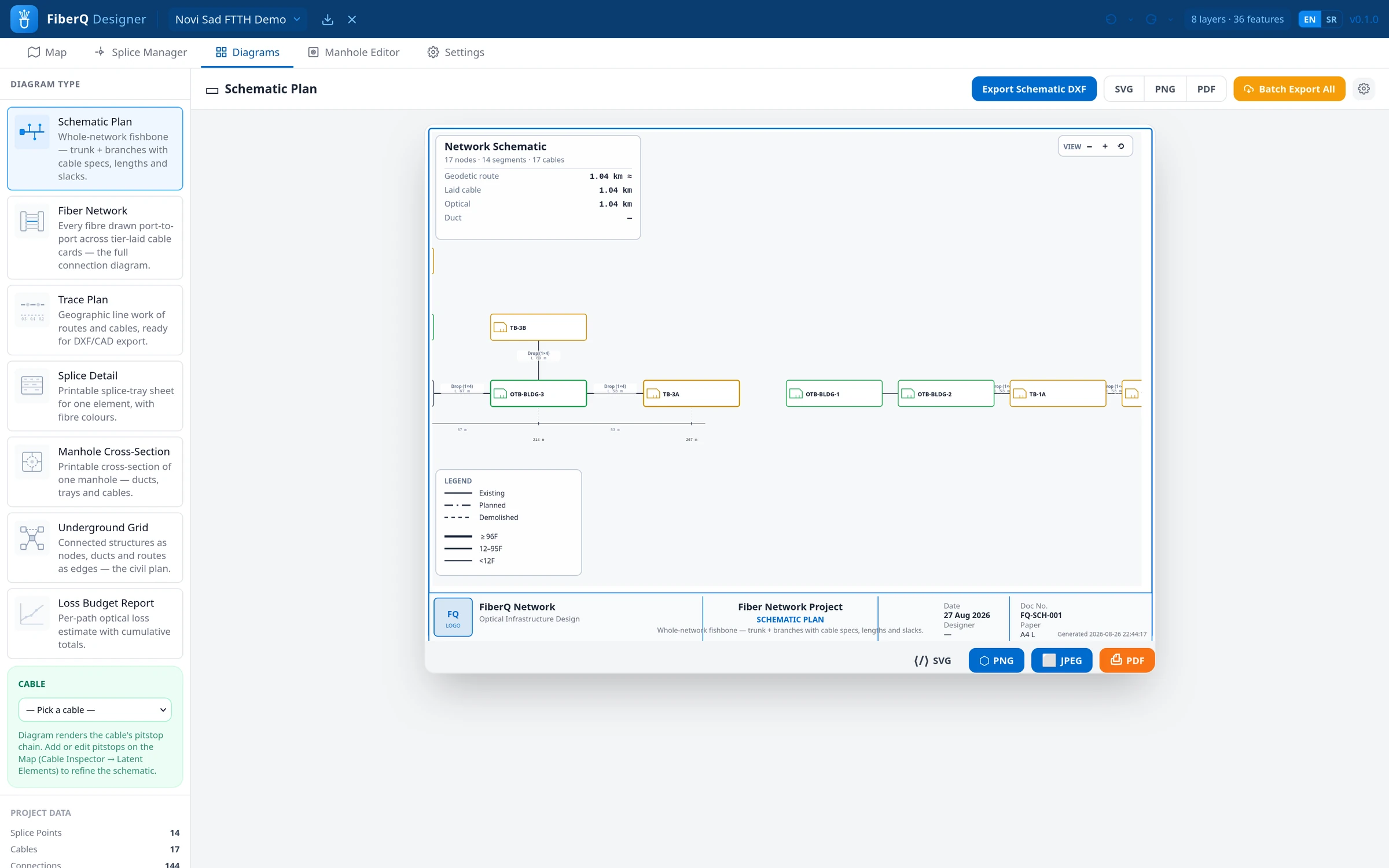
Produce schematics and documentation from the network you have designed, instead of drawing them by hand and keeping them in sync manually.
Structured project data
Every element, cable and splice lives in a consistent data model, so your project stays usable for review, reporting and exchange, not just for viewing.
Team workflows
Shared, browser-based projects mean colleagues work from the same source of truth, with changes visible to everyone on the team.
03
WORKFLOW
How it works
A practical flow from a blank map to a documented, traceable network.
01
Open a project
Start a new project in the browser or bring in an existing design from FiberQ for QGIS.
02
Plan on the map
Draw routes and place elements in the Map Section, building cable runs and infrastructure on real basemaps.
03
Splice the network
Define closures and splice connections in the Splice Manager, fiber by fiber.
04
Trace and verify
Follow fibers end-to-end to check the design and catch issues before they reach the field.
05
Generate documentation
Produce schematics and documentation straight from the network you built.
06
Share and hand over
Collaborate with your team and exchange the design with FiberQ for QGIS when needed.
04
INTEROPERABILITY
Works with FiberQ for QGIS
Designer and the QGIS plugin share the same way of describing a network. Move a design between the open GIS environment and the browser-based platform, and keep the same structured data on both sides. Elements, cables and splices stay intact.
Use the open-source plugin for detailed GIS design and open-format deliverables, and Designer for fast, collaborative operational work. One workflow, two tools.
| FIBERQ FOR QGIS | Open-source design environment inside GIS. GPL-3.0. Detailed planning and open-format deliverables. Available and maintained today. |
| FIBERQ DESIGNER | Browser app for operational planning, splicing, tracing and documentation. Built for teams. Currently in private beta. |
| SHARED | Consistent network elements across both tools. Import and export between plugin and platform. Open formats where it matters. |
05
ACCESS
Access and pricing
FiberQ Designer is in active development and access is currently by invitation. It is free for everyone using it today: a small group of fiber teams putting real projects through it and telling me what breaks.
Pricing will be published when the platform is ready to be sold, not before. Until then I would rather have your bug reports than your money.
Need fiber design tooling you can use in production today? FiberQ for QGIS is open source, GPL-3.0, and actively maintained.
06
UPDATES
Follow the build
FiberQ Designer is being built in the open, one release at a time. Sign up to follow development and hear when it opens up more widely. No spam, no commitment.